
It’s not. And it never will be.
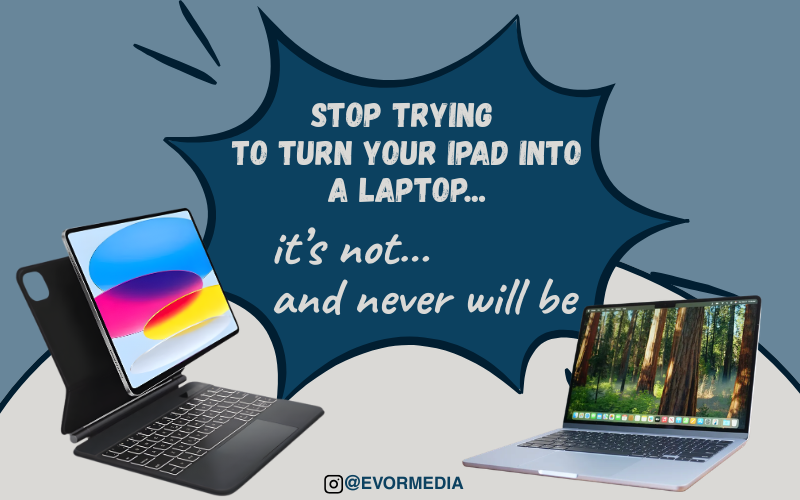
This might sound harsh, especially if you’ve invested a lot of money in an iPad setup, perhaps even pairing it with an Apple Pencil and the expensive Magic Keyboard. It seems like you should be able to replace your laptop entirely.
However, the reality is that adding a keyboard doesn’t magically transform an iPad into a laptop. It simply turns it into an iPad with a keyboard.
The Promise vs. The Reality
The iPad is an incredible device, thin, light, fast, and incredibly versatile.
It can serve as:
- A sketchbook
- A notebook
- A media consumption device
- A portable creative studio
Yes, with the right accessories, it can resemble a laptop. But resemblance isn’t replacement.
I recently tried connecting a keyboard and mouse to my iPad Pro, testing apps and working like I would on a traditional computer. That’s when the limitations became apparent.
Apps like Affinity Designer and Procreate, two of the most powerful creative tools on the platform, are designed for touch. They expect your fingers and the Apple Pencil.
Using them with a keyboard and mouse feels like driving a car with a joystick. It technically works, but it’s not what the experience was intended for.
Even with a trackpad, which helps with gestures like zooming, you’re still fighting the system instead of flowing with it.
The Universal Device Myth
- I used to dream of a single, all-in-one device that could do everything: a laptop, a tablet, a creative tool, and a productivity hub.
However, the more I experimented, the more I realized that such a device doesn’t exist. Even if it did, it would likely be mediocre at everything. It would be good at everything, but not great at anything—that’s the trade-off.
Apple Knows This (And Benefits From It)
Apple isn’t trying to replace your Mac with an iPad. Instead, they’re creating a system that encourages you to want both.
Their ecosystem is designed around continuity, ensuring a seamless experience between devices.
Start a note on your Apple Watch, add it to your iPhone, and finish it on your iPad. Everything works seamlessly together, and yes, that’s incredibly convenient, but it’s also strategic.
Apple makes its money by selling multiple devices, not by convincing customers that one device can do everything.
The MacBook vs. iPad Debate Is Backwards
Spend five minutes on Reddit, and you’ll see the same argument repeatedly: “Just get a MacBook Air; it does more than an iPad.” Every time, it feels like we’re asking the wrong question because, in many ways, the iPad is actually more versatile.
Consider input options alone: touch, Apple Pencil, keyboard, mouse, and trackpad. That’s three, arguably four, different ways to interact with the same device. Compare that to a Mac: keyboard and mouse/trackpad. That’s it.
So, instead of asking, “Should I get a Mac instead of an iPad?” maybe the better question is, “I’m getting an iPad… do I also need a Mac?”
Flip the Default Thinking
Most people buy a MacBook as their main computer and add an iPad later for specific tasks. I think that’s backwards. Try this instead: start with an iPad as your daily device and add a Mac only if you hit a specific limitation. Those limitations are real. Certain workflows, file management, pro-level software, multitasking, and development work are still far better on a Mac.
But not everyone needs those things every day.
Use the iPad for What It Is
The mistake isn’t buying an iPad; the mistake is expecting it to behave like something it’s not.
- The iPad truly shines when you use it naturally, embrace the Apple Pencil, and adopt app-first workflows. However, it struggles when you force desktop habits onto it, expect full laptop-style multitasking, or try to replicate macOS workflows.
If you’re considering an iPad, remember this: if you’re reading this, it’s already on your mind. So, here’s my simplest advice: don’t buy it to replace your laptop. Instead, buy it to do things your laptop can’t do as well.
This is because when you stop trying to turn it into a Mac, the iPad truly becomes great. Perhaps that’s the real shift: not asking, “Can the iPad replace my laptop?” But instead, “What kind of computing experience do I actually want?”