From Radio Dramas to Podcasts

What Changed…and What Didn’t

There was a time when families would gather around a radio, waiting for a story to begin

  • Not scrolling.
  • Not skipping.
  • Waiting.

In the 1930s and 40s, radio dramas weren’t just entertainment—they were events. Shows like The Shadow radio program and The War of the Worlds broadcast captured the imagination of millions. People sat together, listening closely, building entire worlds in their minds from nothing but sound.

Today, we live in what feels like a completely different universe. Podcasts stream on demand. Audiobooks follow us everywhere. Voices live in our ears through devices like Apple AirPods.

But when you strip away the technology, something surprising becomes clear:

  • A lot has changed.
  • And almost nothing has.

What Changed: Control, Convenience, and Choice

The biggest shift from radio dramas to podcasts is simple: control.

In the golden age of radio, you listened when the show aired. Miss it, and it was gone. That limitation created a kind of shared rhythm—entire cities tuned in at the same time.

Today, podcasts have flipped that entirely.

  • Listen anytime
  • Pause, rewind, skip
  • Choose from millions of shows

Platforms like Spotify and Apple Podcasts have made audio deeply personal. Your listening habits are no longer shaped by a broadcast schedule—they’re shaped by you (and, increasingly, by algorithms).

It’s better in almost every measurable way.

But it’s also different in ways that are harder to measure.

What Changed: From Shared Rooms to Personal Spaces

Radio was a room experience.

Podcasts are a headphone experience.

That shift—from speakers to earbuds—quietly transformed how we connect through audio. What was once communal is now individual. We’ve traded the living room for the inside of our own heads.

We don’t gather to listen anymore.

We listen alone—together, but separate.

And while that independence is powerful, it comes with a subtle cost: fewer shared moments.

What Didn’t Change: The Power of Voice

Despite all the technological change, the core of audio storytelling remains exactly the same…a voice, telling a story.

Whether it’s a 1940s announcer leaning into a microphone or a modern podcast host speaking into a USB mic, the connection is still deeply human. Audio has an intimacy that video often lacks.

There’s no screen to distract you.

No visuals to define things for you.

Just voice—and your imagination filling in the rest.

That hasn’t changed at all.

What Didn’t Change: Imagination Does the Heavy Lifting

One of the most powerful things about radio dramas was what they didn’t show you.

There were no visuals—only suggestion. A creaking door. Footsteps in the dark. A pause in someone’s voice…your mind did the rest.

Podcasts—especially narrative ones—still rely on that same magic. Even today, the best audio stories don’t overwhelm you with detail. They leave space.

Space for you to imagine…space for you to participate.

In a world dominated by screens, that feels almost radical.

The Middle Ground We’re Still Figuring Out

If radio was communal and podcasts are personal, we’re still trying to figure out what comes next.

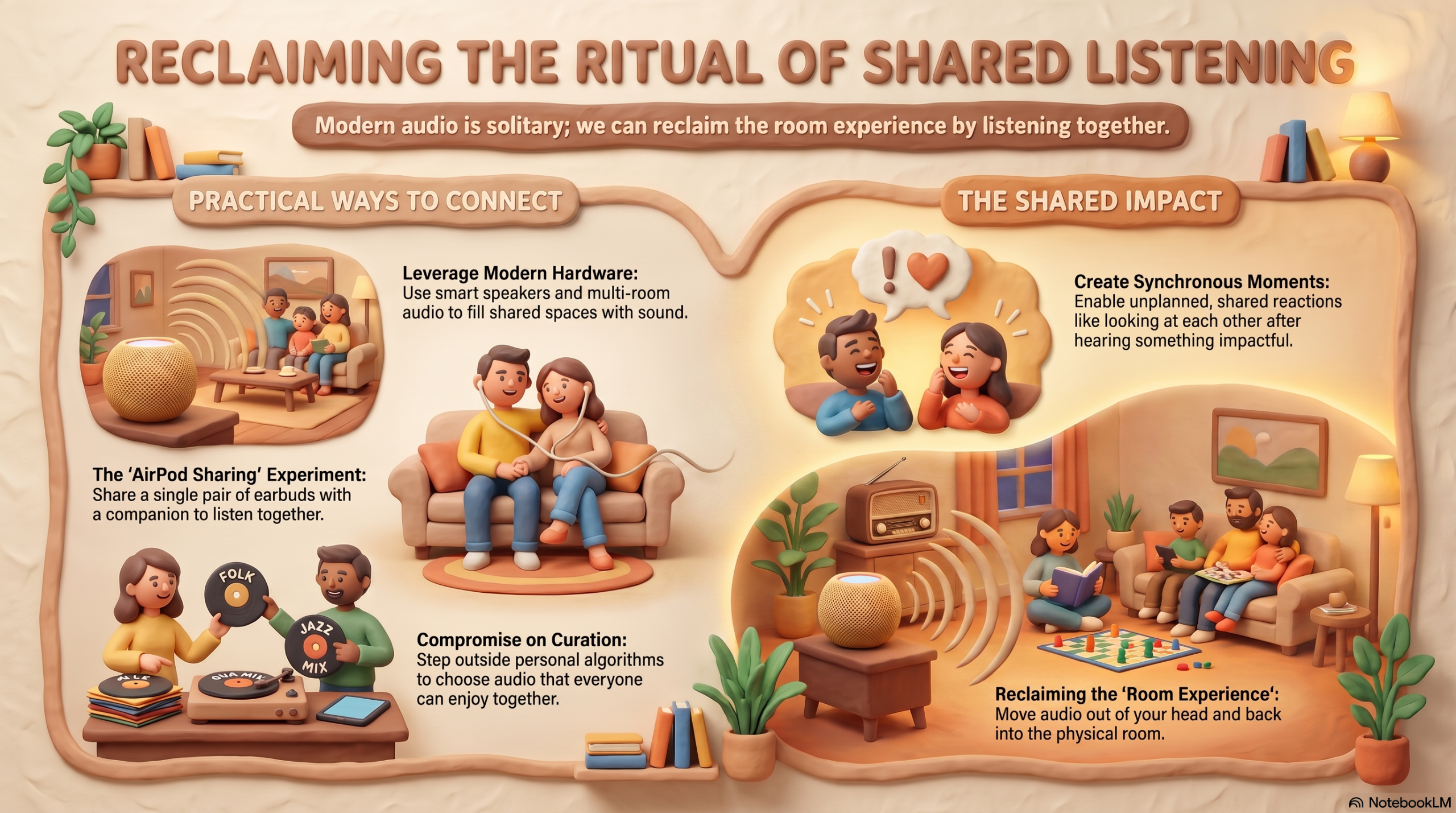
We have the tools to bring shared listening back—smart speakers, voice assistants, multi-room audio. Devices like the 

Apple HomePod smart speaker can easily fill a room with sound.

But the habit isn’t there:

  • We’ve grown used to listening alone.
  • Curating our own tastes.
  • Rarely compromising on what we hear.

And yet, there’s something missing.

A Small Experiment in Shared Listening

My wife and I have stumbled into a small way of reclaiming that lost connection.

When we go for walks, we share a single pair of AirPods—she takes the right, I take the left—and we listen to the same podcast.

It’s a simple thing. Almost silly.

But it creates moments that feel surprisingly rare: both of us reacting at the same time, stopping mid-step, looking at each other after hearing something that lands.

That shared reaction—that unplanned, synchronous moment—is something radio listeners in the 1940s would have recognized instantly.

The Real Difference

So what really changed?

  • Not the storytelling.
  • Not the voice.
  • Not the imagination.

What changed is how we experience it together.

Radio made listening a collective ritual.
Podcasts made it a personal habit.

Neither is inherently better. But one of them brought people into the same moment—and the other lets us drift into our own.

Final Thoughts

We didn’t lose the magic of radio when podcasts arrived. In many ways, we expanded it.

We just redistributed it—from the room to the individual.

Maybe the next evolution of audio isn’t about better technology or smarter algorithms.

Maybe it’s about rediscovering something much older:

Listening, not just at the same time—
but together.

The Golden Age of Radio vs. The Golden Age of Audio:

What We’ve Lost (and How to Get It Back)

I’ve had a long-standing romance with old-time radio, especially the magic of the 1940s. Sometimes it feels like I was born in the wrong era. There’s something deeply compelling about the image of a family gathered around a beautiful wooden console radio, completely immersed in a shared story.

The Magic of 1940s Radio

In the 1940s, radio wasn’t just background noise, it was an event.

Families would gather around large console sets like the Zenith 12S471 floor console radio, tuning in to dramas, comedies, and news broadcasts. Each listener imagined the scenes differently, yet everyone experienced the same story at the same time. That balance, individual imagination paired with collective experience—was the true magic of the golden age of radio.

It was simple. It was shared. And it was powerful.

Today’s Golden Age of Audio

Fast forward to today, and we’re living in what could easily be called the golden age of audio. Podcasts, audiobooks, and streaming music are more accessible than ever. Devices like the Apple AirPods and Apple HomePod smart speaker have made listening effortless and ubiquitous.

But here’s the paradox: while access has improved, connection has diminished.

Wireless headphones have revolutionized how we consume audio, but they’ve also quietly isolated us. We’ve become a society of solo listeners, each in our own personalized audio bubble.

The Problem with Personalized Listening

The convenience of earbuds has shaped our habits in subtle ways:

  • We listen alone, even when we’re together
  • Algorithms replace shared discovery
  • Audio becomes individualized instead of communal

There was a time when discovering new music or shows meant listening with others, friends, family, even strangers. Today, algorithms are more efficient, but they lack the human element that made discovery meaningful.

A Small Rebellion: Sharing One Pair of Headphones

My wife and I have found a small way to push back against this trend.

When we go for walks, we could easily each put in our own headphones and listen to separate things. But we don’t.

Instead, she uses the right AirPod, and I use the left. We listen to the same podcast or audiobook, together.

It sounds trivial, but it changes everything.

We’ve had moments where we both stop walking at the exact same time, hearing a powerful “mic drop” moment, and just look at each other. No words needed. That shared reaction is something you simply don’t get when listening alone.

That’s the missing ingredient in today’s golden age of audio: shared experience.

Could Smart Speakers Bring It Back?

There’s hope.

Devices like smart speakers make it possible to recreate that communal listening experience. It’s not hard to imagine a modern version of a 1940s living room, family or friends gathered around, listening to an audio drama after dinner.

Maybe it’s a podcast. Maybe it’s an audiobook. Maybe it’s something entirely new.

The technology is here.

The habit is not.

When Radio Became Television

There’s an interesting parallel from history.

In the 1950s, as television emerged, many successful radio shows transitioned to the new medium. But something was lost in translation.

My father, who grew up in the 1940s, once told me about the disappointment of seeing his favorite radio characters on television. The faces on the screen didn’t match the ones he had imagined.

Radio invited participation. Television replaced it.

Why 1940 Was the Peak

If there was a peak moment for radio, it was likely around 1940.

Radio rose in the mid-1920s and began fading by the early 1950s as television took over. By the late 1940s, broadcasters were already shifting their focus away from radio. That makes 1940 a kind of sweet spot—when the medium was mature, widely adopted, and still culturally dominant.

It’s no coincidence that iconic radios like the Zenith 12S471 came from this era. They weren’t just appliances, they were the centrepiece of the home.

Recreating the Golden Age Today

Maybe I’m romanticizing the past. Probably.

But I can’t shake the vision of a near future where we reclaim some of what made that era special.

A quiet evening. A cup of tea or coffee. A room filled with people. And a story playing, not through isolated earbuds, but out loud, shared.

Maybe it’s through a modern speaker instead of a wooden console. Maybe the content is a podcast instead of a radio drama.

But the feeling?

That could be the same.

Final Thoughts

We didn’t lose the magic of audio—we just changed how we experience it.

The golden age of radio was about togetherness.
The golden age of audio is about choice.

The next evolution might be about finding a way to have both.

And maybe it starts with something as simple as sharing a single pair of headphones.

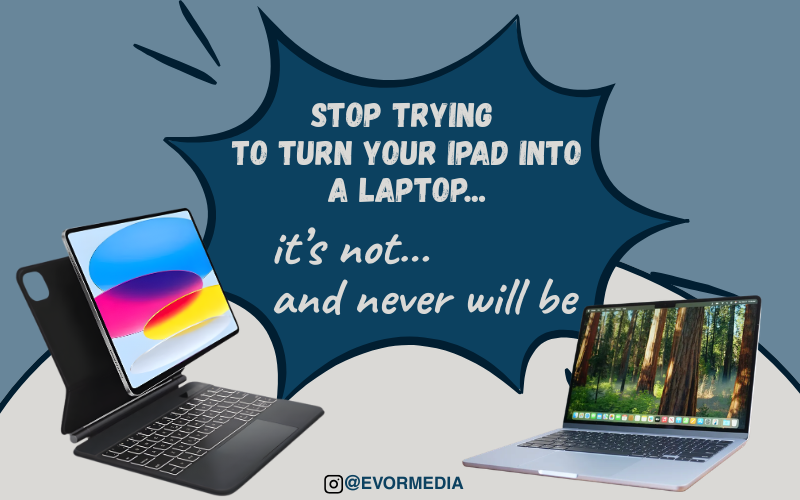
Stop Trying to Turn Your iPad Into a Laptop

It’s not. And it never will be.

This might sound harsh, especially if you’ve invested a lot of money in an iPad setup, perhaps even pairing it with an Apple Pencil and the expensive Magic Keyboard.  It seems like you should be able to replace your laptop entirely.

However, the reality is that adding a keyboard doesn’t magically transform an iPad into a laptop. It simply turns it into an iPad with a keyboard.

The Promise vs. The Reality

The iPad is an incredible device, thin, light, fast, and incredibly versatile.

It can serve as:

  • A sketchbook
  • A notebook
  • A media consumption device
  • A portable creative studio

Yes, with the right accessories, it can resemble a laptop. But resemblance isn’t replacement.

I recently tried connecting a keyboard and mouse to my iPad Pro, testing apps and working like I would on a traditional computer. That’s when the limitations became apparent.

Apps like Affinity Designer and Procreate, two of the most powerful creative tools on the platform, are designed for touch. They expect your fingers and the Apple Pencil.

Using them with a keyboard and mouse feels like driving a car with a joystick. It technically works, but it’s not what the experience was intended for.

Even with a trackpad, which helps with gestures like zooming, you’re still fighting the system instead of flowing with it.

The Universal Device Myth

  • I used to dream of a single, all-in-one device that could do everything: a laptop, a tablet, a creative tool, and a productivity hub.

However, the more I experimented, the more I realized that such a device doesn’t exist. Even if it did, it would likely be mediocre at everything. It would be good at everything, but not great at anything—that’s the trade-off.

Apple Knows This (And Benefits From It)

Apple isn’t trying to replace your Mac with an iPad. Instead, they’re creating a system that encourages you to want both.

Their ecosystem is designed around continuity, ensuring a seamless experience between devices.

Start a note on your Apple Watch, add it to your iPhone, and finish it on your iPad.  Everything works seamlessly together, and yes, that’s incredibly convenient, but it’s also strategic.

Apple makes its money by selling multiple devices, not by convincing customers that one device can do everything.

The MacBook vs. iPad Debate Is Backwards

Spend five minutes on Reddit, and you’ll see the same argument repeatedly: “Just get a MacBook Air; it does more than an iPad.”  Every time, it feels like we’re asking the wrong question because, in many ways, the iPad is actually more versatile.

Consider input options alone: touch, Apple Pencil, keyboard, mouse, and trackpad. That’s three, arguably four, different ways to interact with the same device.  Compare that to a Mac: keyboard and mouse/trackpad. That’s it.

So, instead of asking, “Should I get a Mac instead of an iPad?” maybe the better question is, “I’m getting an iPad… do I also need a Mac?”

Flip the Default Thinking

Most people buy a MacBook as their main computer and add an iPad later for specific tasks. I think that’s backwards. Try this instead: start with an iPad as your daily device and add a Mac only if you hit a specific limitation.  Those limitations are real. Certain workflows, file management, pro-level software, multitasking, and development work are still far better on a Mac.

But not everyone needs those things every day.

Use the iPad for What It Is

The mistake isn’t buying an iPad; the mistake is expecting it to behave like something it’s not.

  • The iPad truly shines when you use it naturally, embrace the Apple Pencil, and adopt app-first workflows.  However, it struggles when you force desktop habits onto it, expect full laptop-style multitasking, or try to replicate macOS workflows.

If you’re considering an iPad, remember this: if you’re reading this, it’s already on your mind.  So, here’s my simplest advice: don’t buy it to replace your laptop. Instead, buy it to do things your laptop can’t do as well.

This is because when you stop trying to turn it into a Mac, the iPad truly becomes great.  Perhaps that’s the real shift: not asking, “Can the iPad replace my laptop?” But instead, “What kind of computing experience do I actually want?”

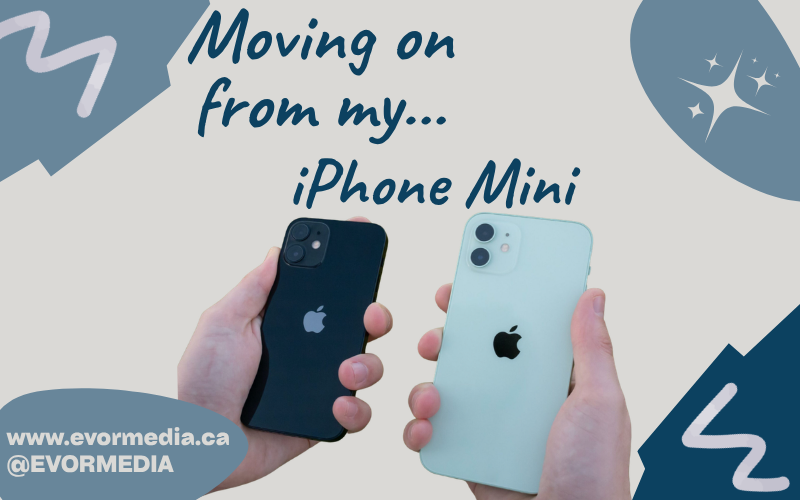
Why I’m Moving On From the iPhone Mini

There was a time when I thought the iPhone Mini was the perfect phone.

Small. Lightweight. Effortlessly pocketable.

In a world where smartphones kept getting bigger, the iPhone Mini felt like a rebellion something designed for people who didn’t want a tablet in their pocket. And for a while, I bought into that idea completely.

But recently, something changed.

The Moment of Realization

I had to type something on my wife’s iPhone 16 (regular size) just a quick message, nothing major. But within seconds, I noticed something I hadn’t fully admitted to myself before:

The experience was… better. In every way.

The keyboard felt natural. My typing was faster and more accurate. The screen gave everything room to breathe. It didn’t feel cramped or compromised.

And then I went back to my iPhone Mini.

That’s when it hit me.

The iPhone Mini Problem No One Talks About

The truth is, the iPhone Mini user experience isn’t great.

It’s not terrible but it’s constantly compromised.

  • Typing feels cramped
  • Reading feels tight
  • Apps feel slightly constrained
  • Everything requires just a bit more effort

You adapt to it over time. You convince yourself it’s fine. But the moment you step back into a larger phone, the difference is obvious.

The iPhone Mini doesn’t feel efficient—it feels like a trade-off.

The One Thing It Gets Right: Pocketability

Let’s give it credit where it deserves it.

The iPhone Mini size is unmatched when it comes to portability.

It disappears into your pocket.
You barely notice it’s there.
It’s probably the most pocketable phone Apple has ever made.

But here’s the realization I couldn’t ignore:

Pocketability alone isn’t enough.

In fact, it might be the wrong thing to optimize for.

Why “Pocketable” Isn’t a Winning Strategy

When a technology company builds a product, it should aim to improve the experience of actually using it—not just carrying it.

The iPhone Mini excels when it’s in your pocket.

But the moment you take it out—when it actually matters—it falls short.

That’s a problem.

And maybe that’s exactly why Apple quietly moved on from the Mini lineup.

The iPhone Mini discontinued decision makes a lot more sense to me now. It wasn’t just about sales numbers—it was about priorities.

Bigger Phones Aren’t Just Bigger—They’re Better

I used to think larger phones were excessive.

Now I think they’re practical.

standard size iPhone vs iPhone Mini isn’t just a difference in dimensions—it’s a difference in usability.

  • More comfortable typing
  • Better media consumption
  • Easier navigation
  • Less friction overall

These aren’t luxury improvements—they’re everyday improvements.

The Trade-Off I’m No Longer Willing to Make

For a long time, I told myself the smaller size was worth it.

That the inconvenience was minimal.

That I preferred simplicity.

But the reality is, I was optimizing for the wrong thing.

A phone isn’t something you just carry—it’s something you use constantly.

And I’d rather have a device that’s better 100 times a day in my hands than one that’s slightly better when it’s sitting in my pocket.

Why I’m Moving On

So I’m moving on from the iPhone Mini.

Not because it’s a bad product—but because it’s a compromised one.

It’s a device built around a single standout feature that doesn’t actually improve the core experience.

And once you notice that, it’s hard to unsee.

Final Thoughts

The iPhone Mini is a great idea.

But in practice, it’s a reminder that smaller isn’t always better—especially in technology.

Sometimes, the things we think we want (like a smaller phone) aren’t the things that actually make our daily lives easier.

And sometimes, it takes typing one message on a bigger screen to realize it.

Phone Chargers: The Most Underrated Tech

Phone chargers live in that strange category of tech we use constantly—but rarely think about.

They’re not exciting. They don’t get product launches or headlines. But they are one of the few accessories that can directly impact the health, safety, and lifespan of your phone.

And yet—most people treat them like an afterthought.

Why Choosing the Right Phone Charger Matters

There’s a common assumption that all chargers are the same.

They’re not.

Low-quality charging blocks—especially cheap, unbranded ones—often lack proper power regulation and heat protection. That can lead to:

  • Slower charging speeds
  • Overheating
  • Reduced battery lifespan
  • Potential long-term damage to your device

When you’re charging a premium device like an iPhone, using a reliable charger isn’t optional—it’s essential.

Best Phone Charger Brands: Apple vs Anker

After narrowing things down, there are really only two brands worth considering:

  • Apple
  • Anker

Both offer high-quality, safe, and reliable charging—but they approach it differently.

Apple Chargers: Reliable and Built to Last

If you want complete peace of mind, Apple is the safest choice.

Apple chargers are designed specifically for their devices, ensuring compatibility and long-term reliability. Their standard 20W USB-C charger delivers consistent performance and is ideal for everyday use.

That said, it’s not perfect:

  • The design is bulky
  • It takes up extra space on power bars
  • It only offers a single port

But durability is where Apple stands out.

Many people still use older 5W Apple charging bricks today—even ones that shipped with early iPhones—and they still work. They may be slow by modern standards, but they remain dependable.

Anker Chargers: Best Value and Convenience

If Apple is the safe choice, Anker is the practical upgrade.

Anker has built a reputation for delivering high-performance chargers with better design and more features.

With Anker, you get:

  • Compact chargers that don’t block other outlets
  • Multi-port charging for multiple devices
  • Faster charging speeds
  • Better overall value

For most people, Anker offers the best balance between price, performance, and convenience.

Apple vs Anker: Which Charger Should You Buy?

It comes down to what you prioritize:

  • Choose Apple if you want maximum reliability and zero risk
  • Choose Anker if you want better design, more features, and strong value

Either option is far better than using a cheap, unverified charger.

Final Thoughts: Stop Treating Chargers Like an Afterthought

Your phone charger is something you use every day—often for hours at a time.

It powers your device overnight. It travels with you. It quietly supports everything you do.

The best charger isn’t the one you think about—it’s the one you never have to.

DaVinci Resolve vs Final Cut Pro

Choosing the Right Editing Tool for Your Creative Workflow

Not long ago, professional video editing required a studio, a team of specialists, and software that cost thousands of dollars. Today, anyone with a laptop and an idea can produce work that rivals traditional media. The tools have become incredibly powerful—and surprisingly accessible.

Two programs sit near the top of that modern editing landscape: DaVinci Resolve and Final Cut Pro.

Both are professional-grade video editors. Both are capable of producing feature films, documentaries, YouTube channels, and everything in between. Yet despite their similarities, they represent two very different philosophies about how video editing should work.

One prioritizes an all-in-one professional production environment. The other prioritizes speed, simplicity, and a deeply integrated workflow on the Mac.

The interesting question isn’t which one is better. The interesting question is which one fits the way you like to work.

Because in creative tools, workflow matters far more than raw capability.

Two Very Different Origins

To understand the differences between DaVinci Resolve and Final Cut Pro, it helps to understand where each one came from.

DaVinci Resolve began life as something very specific: a high-end color grading system used in Hollywood post-production studios. Long before it became a full editing platform, Resolve was the place films went to get their final visual polish.

When Blackmagic Design acquired the software in 2009, they began transforming it into something much larger. Over time, editing features were added, followed by visual effects tools, advanced audio production, and collaborative features.

Today, Resolve is not just an editor—it’s an entire post-production environment.

Final Cut Pro, on the other hand, grew out of a very different philosophy. Apple built it to make professional editing faster and more accessible, especially for independent creators and smaller production teams.

Over the years, Apple leaned heavily into performance and simplicity. When Apple rebuilt the software with Final Cut Pro X in 2011, it introduced one of the most controversial and innovative features in modern editing: the magnetic timeline.

Some editors hated it immediately. Others discovered it dramatically sped up their editing process.

More than a decade later, Final Cut Pro remains one of the fastest editing environments available—particularly on Apple hardware.

The Philosophy of DaVinci Resolve

Using DaVinci Resolve often feels like stepping into a full film production studio.

The interface is divided into “pages,” each dedicated to a different stage of production. There’s a media page for organizing footage, an edit page for traditional timeline editing, a color page for grading, a Fusion page for visual effects, and a Fairlight page for audio post-production.

At first glance, it can feel overwhelming. There are buttons everywhere. Panels inside panels. Nodes and scopes and advanced tools that look like they belong in a professional color suite.

But once you understand what Resolve is trying to do, the design makes sense.

Resolve isn’t just trying to help you cut video clips together. It’s trying to replace an entire post-production pipeline.

In traditional film production, editing, color grading, visual effects, and audio mixing often happen in separate programs—or even separate studios. Resolve brings all of those processes into a single application.

That integration is powerful.

An editor can move from cutting footage directly into color grading without exporting the project. Visual effects can be built using Fusion without leaving the timeline. Audio can be mixed in Fairlight using tools that rival dedicated audio software.

In short, Resolve is designed for deep, complex productions.

And remarkably, a huge portion of it is available for free.

The free version of Resolve is arguably the most powerful free creative software available today. It includes professional editing tools, advanced color grading, and robust export options. For many creators, it’s more than enough.

The paid Studio version adds features like advanced noise reduction, HDR grading tools, and GPU acceleration. But even without those additions, the free version can handle an enormous amount of work.

The downside to all this power is complexity.

Resolve has a steep learning curve. Beginners often feel like they’ve stepped into the cockpit of a commercial airplane when they first launch it.

It also demands strong hardware. Resolve leans heavily on the GPU, and while it runs on modest machines, it truly shines on powerful systems.

For filmmakers, colorists, and editors who enjoy deep control over every aspect of their project, Resolve is extraordinary.

For someone who just wants to cut together a quick video, it can feel like overkill.

The Cost Question

Another interesting difference between the two platforms is pricing.

DaVinci Resolve offers one of the most generous free versions in the software industry. The majority of the program’s capabilities are available without paying anything.

The Studio version is a one-time purchase, and once you own it, upgrades have historically been free.

Final Cut Pro follows a similar philosophy but without the free tier.

Apple sells it as a one-time purchase through the Mac App Store. There are no subscriptions, and updates are included.

In an era where creative software increasingly relies on monthly subscriptions, both approaches feel refreshingly old-school.

You buy the tool once and use it for years.

Performance and Hardware

Performance is where the two programs diverge in interesting ways.

Resolve relies heavily on GPU power, especially for color grading and visual effects. On a powerful workstation, this allows for incredible real-time performance.

But on weaker systems, playback can struggle.

Final Cut Pro, by contrast, feels incredibly smooth on Apple hardware. Apple has spent years optimizing the software specifically for Macs, and the results are noticeable.

Even large video files often play back without hiccups.

For creators working exclusively on a Mac—especially a modern MacBook or Mac Studio—Final Cut often feels faster.

Resolve can match that performance, but it typically requires stronger hardware.

Which One Should You Choose?

So which program is better?

The honest answer is that both are exceptional.

But they serve slightly different kinds of creators.

If you’re interested in filmmaking, advanced color grading, visual effects, or collaborative production environments, DaVinci Resolve is incredibly compelling. It’s an entire post-production studio inside one application.

If you’re a Mac user who values speed, simplicity, and a streamlined editing process, Final Cut Pro is hard to beat. It excels at getting ideas from your head onto the screen quickly.

For many creators, the decision ultimately comes down to workflow preference.

Some people love Resolve’s depth and structure.

Others fall in love with the speed of Final Cut’s magnetic timeline.

And interestingly, many editors end up learning both.

The Real Secret: The Tool Matters Less Than the Story

There’s a tendency in creative communities to obsess over tools. Editors debate software the way photographers debate cameras or writers debate keyboards.

But the truth is that great storytelling rarely depends on the tool.

You can cut a compelling documentary in Resolve or Final Cut. You can produce a great YouTube channel in either program. Entire feature films have been created with both.

The software simply shapes how you get there.

The best editing tool is the one that disappears while you’re working—the one that lets you focus on pacing, emotion, and narrative rather than menus and settings.

In that sense, the real decision isn’t about features.

It’s about which tool helps you stay in the creative flow.

Because when the software gets out of the way, the story finally has room to shine.

The Magic Keyboard: A Love-Hate Relationship

I was at my local Best Buy and saw a stunning 13” iPad Pro on display, all set up with the equally beautiful Magic Keyboard. I’ve had a complicated relationship with the Magic Keyboard since it came out in 2015. On the plus side, it turns an iPad into a MacBook-like experience with magnets that work so smoothly. Plus, it’s versatile enough to be used comfortably in almost any situation. But, the downside is the price. It’s not just expensive; it’s uncomfortably so. The Magic Keyboard is an accessory for the iPad, but it has a price tag that feels like it should be included with the iPad itself. You could even buy an iPad (the basic model) for the price of this accessory!

The Magic Keyboard is pretty appealing, and I can’t help but look at it from every angle. The main thing that stands out is the price, which is absolutely, mind-blowing, ridiculously, obscenely expensive. When you buy an iPad, it should be a rule that you have to get an Apple Pencil with it, or maybe, just maybe, the price should include one. If you buy the iPad and the pencil, adding a Magic Keyboard really pushes the price into MacBook territory.

The iPad with the Magic Keyboard combines simplicity and complexity. On one hand, you have a single device that can be a tablet one minute and a MacBook-like device the next. The complexity comes from needing an accessory for your iPad to make this work, and that accessory adds a lot to the cost of your setup to make it MacBook-like, even though it’s not a full MacBook.

When I look closer, the 11-inch iPad with a Magic Keyboard might offer something different from a MacBook. In terms of size and weight, the 13-inch MacBook Air and the 13-inch iPad with Magic Keyboard are pretty similar, so I’m not sure the iPad setup is better in this case. However, the 11-inch iPad with Magic Keyboard is unique because it’s smaller and lighter than any MacBook, even though it’s still pricey. The combined price of the 11-inch iPad Air with the Magic Keyboard makes it a bit more affordable.

For this to make sense, you need a good reason to want the iPad. The most obvious reason is that there’s an app only available on the iPad. Another reason might be that you prefer the touch or Apple Pencil interface for certain apps. If either of these is true, you might even justify the 13-inch iPad setup.

I’ve considered a possible compromise: I’ll get a MacMini for my heavy tasks, since my current MacBook spends a lot of time docked to a monitor and keyboard on my desk.

One last thing about the Magic Keyboard is that it doesn’t fit all iPad models. This means that future iPad upgrades will likely require future Magic Keyboard upgrades. So, you might end up paying the same high price for the Magic Keyboard again.

My current setup is a MacBook as my main device and a Magic Keyboard-less iPad as a backup. What do you think about the Magic Keyboard, and do you think the features and functions are worth the price?

The Apple Watch Is the World’s Best-Selling Watch

The Only Problem Is… It’s Not a Watch.

Apple now sells more watches than anyone else on Earth. More than Rolex. More than Omega. More than Swatch. Combined. Safe to say the Apple Watch filled a technological need, but that need was not time keeping.

This is usually presented as a triumph—another industry quietly conquered by Cupertino. A clean headline. A tidy chart. A victory lap for a company that seems to collect entire markets the way others collect loyalty points. And yet, sitting with that fact for more than a moment produces a strange sense of unease. Because while Apple may sell the most watches in the world, almost no one buys an Apple Watch because they want a watch…they buy it because it buzzes.

For most of human history, a watch did one job, and did it well. It told time. Later, it told a bit more than that—who you were, what you valued, where you fit. A watch was a tool, then a piece of jewelry, then a quiet declaration of taste. It was something you maintained, not something you replaced. Something you wound, repaired, passed down. Even the humble quartz watch aspired to permanence. You didn’t update a watch. You lived with it.

The Apple Watch, by contrast, arrives preloaded with the assumption that it will be temporary.

When Apple first introduced it in 2015, the company seemed unsure of what it had made. The launch leaned heavily into fashion. There were glossy magazine spreads. Multiple bands. Even a solid gold “Edition” model that cost as much as a small car. Apple appeared to believe it was entering the luxury watch market head-on, as if centuries of horological tradition were simply another industry awaiting disruption.

That phase didn’t last long.

Within a few product cycles, the illusion slipped. The gold models vanished. The fashion talk quieted. The Apple Watch stopped pretending to compete with Swiss watchmakers and instead became what it always was: a small computer strapped to your wrist, trying to justify its existence between heartbeats.

Today, the Apple Watch is many things, but it is not—at least not primarily—a timekeeping device. It is a notification mirror, a fitness conscience, a health monitor, an iPhone accessory that whispers instead of rings. The time is almost incidental. You don’t look at an Apple Watch because you’re curious what hour it is. You look because something happened.

A message arrived. A ring needs closing. Your heart did something interesting.

This is where Apple succeeded in a way no one else quite has. Fitness trackers had existed for years before the Apple Watch. Smartwatches too. But they often felt like gadgets searching for a lifestyle. Apple reversed the strategy. It took something people already wore and smuggled in an entirely different category of product.

The Apple Watch isn’t really a watch. It’s a health device that happens to tell time.

This distinction matters, because it explains both its dominance and its discomfort. The most compelling features of the Apple Watch are not glamorous. They are quietly profound. Heart-rate alerts. ECG readings. Fall detection. Crash detection. Stories of lives saved not by heroics, but by sensors noticing something wasn’t quite right. This is not horology. This is preventative medicine, disguised as an accessory.

And yet, calling it a health monitor wouldn’t have worked. Few people would voluntarily strap a medical device to their wrist all day, every day. Calling 

it a watch made it acceptable. Familiar. Harmless. Almost traditional.

Traditional watchmakers, for their part, were never really in danger. Apple didn’t steal their customers; it simply created a parallel universe. A Rolex is not obsolete because an Apple Watch exists. They solve entirely different emotional problems. One aspires to timelessness. The other assumes replacement. One grows more meaningful with age. 

This is a test

The other politely suggests an upgrade every few years.

This is perhaps the strangest tension at the heart of Apple’s success: the Apple Watch is something you wear like jewelry but treat like an appliance. It lives on your body, yet ages like a phone. Scratches don’t tell stories; they signal trade-in value. A dead battery isn’t repaired—it’s retired.

So what, then, should we call this thing?

A wrist computer feels too technical. A health tracker feels too clinical. An iPhone accessory feels dismissive. “Watch” remains the least wrong word available, even if it stretches the definition beyond recognition.

And maybe that’s the real achievement. Apple didn’t just make the world’s best-selling watch. It quietly redefined what a watch is allowed to be. Not a keeper of time, but a keeper of attention. Not a symbol of permanence, but a companion to the present moment. Something less about hours and minutes, and more about nudges, rings, and gentle reminders that your body is, at this very second, doing something worth measuring.

The Apple Watch wins not by honouring the past of watches, but by moving beyond it entirely. It succeeds by wearing a familiar name like a disguise—just enough tradition to feel comfortable, just enough technology to feel inevitable.

And that may be Apple’s greatest trick of all: building the world’s most successful watch by making something that, deep down, doesn’t really want to be one.

How I Read  Books

I love reading both fiction and non-fiction books, and ideally, I’d be diving into one of each at the same time, well not the exact same time, but you get the idea. I’ve got one of each on the go all the time.

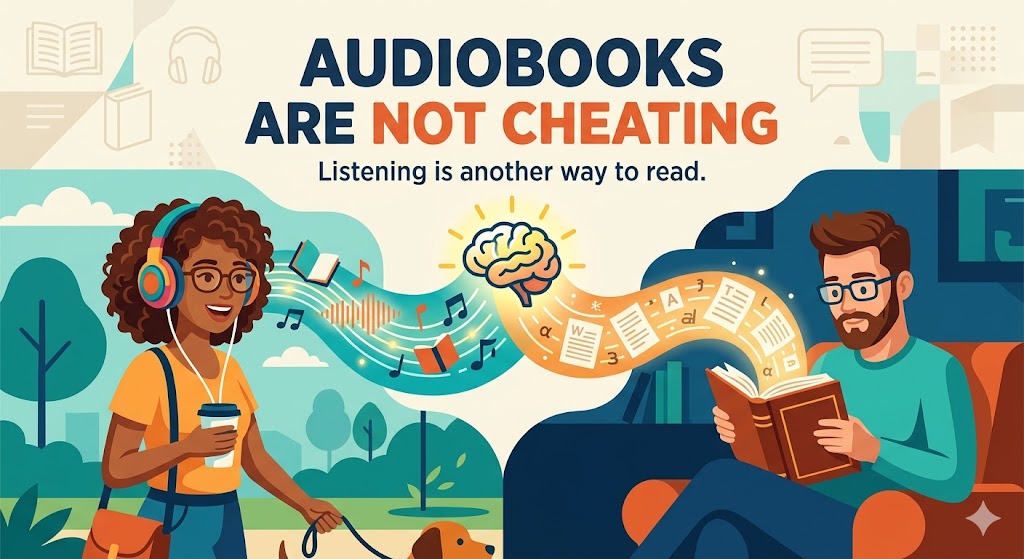
I’m a big fan of fiction through audiobooks. It’s like having a movie in my ears, and I wouldn’t trade that experience for anything. This post is all about my approach to reading non-fiction books, since it’s a bit more involved than fiction. Mostly, I’m trying to get more than just entertainment out of them.

You might have noticed I’m using the word “consume” a bit loosely, like I’m eating books, but I don’t want to offend any of the purists out there who might call me out for claiming to have read an audiobook. And while audiobooks are listened to and books are read, both are consumed in our minds.

When I first learned to read as a kid, it was super easy. Books were just books, and you could buy or borrow them from the library. I know audiobooks existed back in the ‘80s, but they were pretty rare and expensive.

Now, books come in all sorts of formats, like physical books, e-books and audiobooks. Those would be the mainstream book formats I’m talking about. I should mention that there are also several formats for people with special needs that I won’t cover in this post, mostly because I haven’t had much exposure to them.

When I pick a book to read, I always start with the audiobook. There was a time when an audiobook might not be an option, but now I’m always surprised when a book doesn’t have an audiobook version. I start with the audiobook because it gives me a, low effort, overview of the book. It helps me decide if it’s worth investing more time into reading and if it goes deep enough on a specific topic.

The audiobook overview is super helpful, especially since I don’t usually read the whole book. In non-fiction, the author often spends a lot of time explaining and promoting their theory. If I’m already familiar with and have bought into the author’s theory, I’ll often skip those sections. The audiobook’s magic is that it lets me know where to skip ahead.

I’ve noticed that non-fiction books can be quite large and heavy, making them a hassle to carry around. This often leads me to leave the book at home, which reduces my chances of reading them. That’s where e-readers come in. They’re so convenient that I can carry many of those bulky books in my pocket. Plus, they offer great lighting in dim conditions and last weeks on a single charge. Another great thing about e-readers is that they’re pretty distraction-free, which is perfect for reading.

So, if a non-fiction book has been great in the audiobook, and I’ve enjoyed the e-book, you might think I’m done with it. But you’d be wrong! I almost always buy the physical paper book. It might seem a bit strange, but audiobooks and e-books aren’t really great for looking up information. If a non-fiction book has really added value, I like to have it on my shelf with pages marked and highlighted for easy reference.

I know this sounds a bit much, but you’re right—I buy the book three times! Plus, it really helps me support the author, which might encourage them to write more books. 

Evernote: The App That Promised to Remember Everything  (So You Didn’t Have To)

In 2013, this was supposed to change everything. Not the phone in your pocket, not social media, not even “the cloud” in its big, abstract sense. This was about your notes. Your half-ideas. Your screenshots of things you might someday cook. Evernote didn’t sell productivity so much as salvation. Its promise—“Remember Everything”—landed with a quiet confidence, as if forgetting had finally been identified as a bug, and software was here with the patch. No more lost thoughts. No more scattered notebooks. No more wondering where that one important idea went. Your brain, but searchable.

Evernote emerged at a very specific moment in tech history, right after the iPhone taught us that software could live with us, follow us, and politely buzz in our pockets. Suddenly everything felt recordable. Photos, locations, messages, receipts. And with that came a low-grade anxiety: what if the important stuff slipped through the cracks? Evernote didn’t frame this as a workflow problem or a productivity hack. It framed it as a cognitive crisis. Your mind was overloaded. Evernote would remember for you. Investors loved this framing. At the time, it solved exactly zero concrete problems, but it felt important—and in Silicon Valley, that often counts as traction.

The pitch was breathtakingly broad. Evernote was for students and CEOs, journalists and chefs, researchers and people who clipped recipes they would never make. You could store text, PDFs, images, audio, handwritten notes, web pages—if it could exist digitally, Evernote wanted it. The app didn’t so much suggest a use case as dare you to imagine one. This was not a tool; it was an empty warehouse with very good lighting. You were free to build whatever system you wanted inside it, provided you enjoyed building systems in your spare time.

And for a while, people did. They downloaded Evernote. They scanned a receipt or two. They saved an article. They created a notebook, maybe even two. One of them was almost certainly called “Stuff.” Tagging was attempted, briefly, with the kind of optimism usually reserved for New Year’s resolutions. Then something interesting happened: nothing. Evernote quietly filled up, while usage quietly tapered off. The app didn’t break. It didn’t crash. It just waited. Like a very polite filing cabinet that never reminded you why you opened it in the first place.

The core problem wasn’t storage. Storage is easy. The problem was retrieval. Evernote assumed that future-you would remember to search for past-you’s thoughts, and that past-you had labeled them in a way future-you would find intuitive. This turns out to be a bold assumption. Evernote didn’t eliminate forgetting; it merely moved it one step to the left. You no longer forgot the idea—you forgot that you saved it. Which is arguably worse, because now you feel like the failure, not your memory.

At its heart, Evernote was a solution in search of a behavior change. It required discipline, foresight, and a strange optimism about your future self’s organizational instincts. It asked users to care—deeply—about information they didn’t yet need. Most people don’t want a second brain. They want fewer things rattling around in the first one. Evernote wasn’t wrong about information overload, but it overestimated our desire to personally manage the solution.

And yet, it wasn’t a failure in the way tech failures usually are. Evernote found its people. Journalists used it as a reporting archive. Lawyers kept case notes. Therapists stored session records. Some users built astonishingly detailed life logs—years of receipts, ideas, photos, meticulously tagged and searchable. Evernote didn’t become universal, but it became foundational. It trained an entire generation to expect that notes should sync, search instantly, and accept almost anything you threw at them.

You can see its DNA everywhere now. In Apple Notes’ quiet competence. In Notion’s structured ambition. In Obsidian’s graph-obsessed minimalism. Evernote walked so these tools could gently ask you what you’re trying to do before offering seventeen options. In that sense, Evernote didn’t fail—it overexplained, and the market learned to prefer whispers.

Could Evernote work today? Technically, yes. Modern AI eliminates many of the frictions that doomed it: automatic tagging, semantic search, contextual resurfacing. But the core assumption still struggles. Most people don’t want to manage memory. They want memory managed for them. The winning tools don’t ask you to build a system; they quietly become one.

Evernote’s real lesson isn’t about notes. It’s about ambition. It wanted us to become archivists of our own lives, curators of every passing thought. Most of us just wanted to remember where we parked. And maybe that’s okay. Technology doesn’t win by being powerful—it wins by being invisible. Evernote was brilliant, thoughtful, and slightly too earnest. It didn’t just try to remember everything. It tried to make us care.