
Why OnShape Is the Ultimate Tool for 3D Design Hobbyists
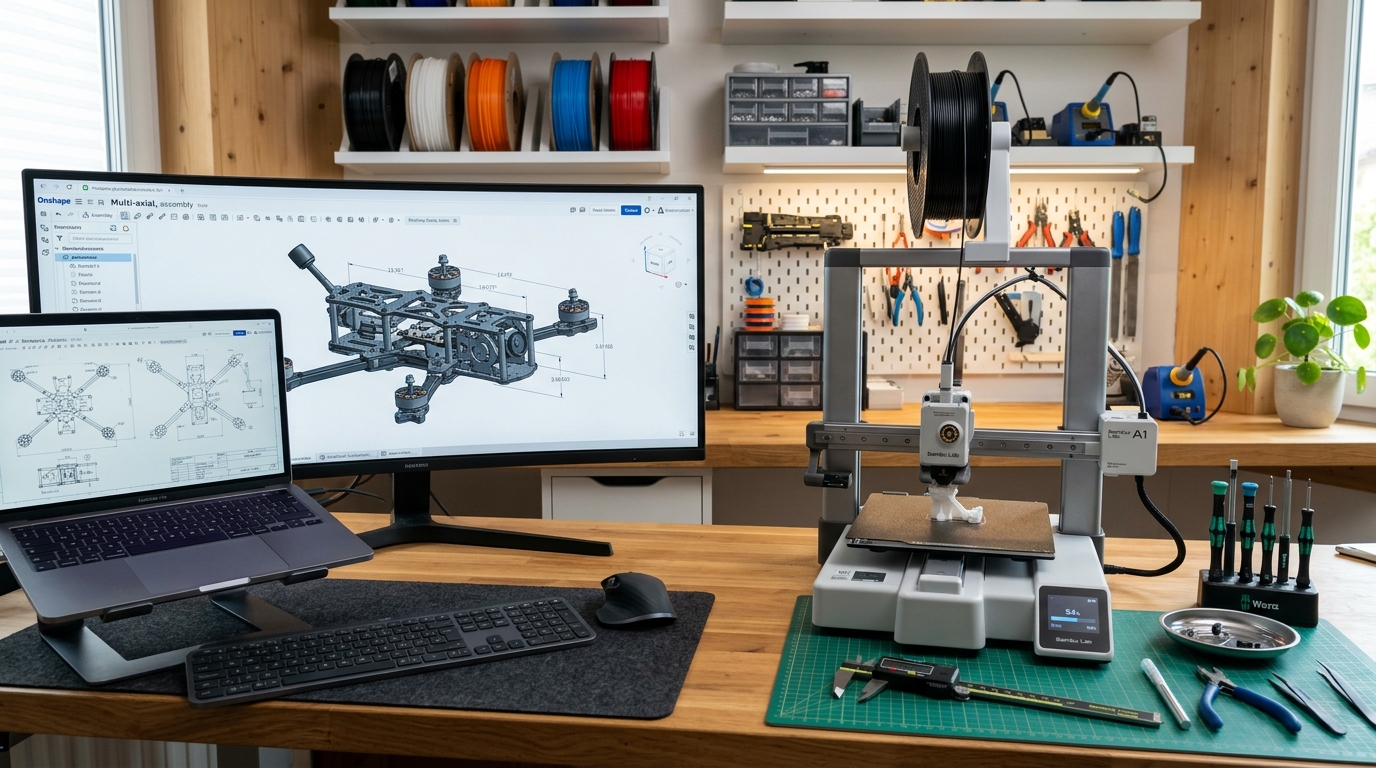
The hobbyist 3D printing and maker movement has exploded over the last decade. Desktops around the world are lined with fused deposition modeling (FDM) and resin printers spitting out customized brackets, intricate tabletop miniatures, replacement appliances, and custom robotics.
Yet, for many newcomers, the biggest hurdle isn’t levelling a print bed or tweaking slicer settings—it’s 3D Computer-Aided Design (CAD).
For years, entering the world of parametric 3D design meant wrestling with heavy, resource-hungry desktop software, navigating nightmare license agreements, dealing with constant crashes, or settling for oversimplified “toy” modeling apps that stall out the moment you try to design a functional, multi-part assembly.
Enter Onshape.
Developed by the original creators of SolidWorks, Onshape is a fully cloud-native, professional-grade parametric CAD platform running entirely inside your web browser. While it was built to tackle enterprise-level product development, Onshape’s generous Free Plan makes it arguably the most accessible, robust, and hassle-free choice for hobbyists getting into 3D design today.
Here is a deep dive into why Onshape is revolutionizing maker workflows and why it should be your go-to design engine.
1. Zero Installation, Zero System Overkill
Traditional CAD software is notorious for its steep hardware demands. If you’ve ever tried running legacy parametric programs on a basic laptop, you know the drill: fan noise that rivals a jet engine, massive 15 GB installation packages, and sudden freezes that obliterate an hour’s worth of work.
Onshape completely eliminates the hardware hurdle by moving the heavy computational lifting to the cloud.
- Runs in standard browsers: Whether you prefer Chrome, Firefox, Safari, or Edge, Onshape runs through WebGL directly in your browser window.
- True cross-platform capability: Because it is entirely cloud-native, Onshape is platform-agnostic. It runs identically on Windows, macOS, Linux, and ChromeOS.
- Design anywhere, on any device: You can draft complex models on a budget Chromebook at your workbench, tweak dimensions on an iPad or tablet while lying on the couch, or check design specs on your smartphone right next to your 3D printer.
There are no graphics card drivers to update, no system requirements to double-check, and no local installation files taking up drive space. If your computer can stream high-definition video, it can render 3D CAD models in Onshape.
2. Professional Parametric Modeling Without Compromise
When beginners start out in 3D design, they often start with basic mesh-based sculptors or simple block-builders. While fine for art or quick shapes, these tools quickly show their limits when you need to design mechanical parts with precise tolerances.
Onshape gives hobbyists access to genuine, industry-standard parametric modeling.
[Sketch 2D Profile with Precise Constraints]
       ↓
[Apply Feature: Extrude / Revolve / Sweep / Loft]
       ↓
[Parametric Feature Tree Keeps Track of History]
       ↓
[Modify early dimensions anytime; downstream geometry updates automatically]
Key Parametric Features for Makers:
- Fully Dimensioned Sketches: Define exact measurements in millimeters or inches, establishing geometric relations (equal length, parallel, concentric, tangent) that maintain design intent.
- Part Studios: Unlike traditional CAD systems where every individual part must live in a separate file, Onshape utilizes Part Studios. You can design multiple related parts within the same workspace using shared sketches, making fit-together enclosures, hinges, and snap-fits infinitely easier to align.
- Advanced Assemblies and Mates: Connect your individual parts together using high-level mates (fastened, revolute, slider, pin-slot) to simulate real-world movement and test mechanism clearance before sending anything to a 3D printer.
3. The “Never-Lose-Your-Work” Cloud Architecture
Every designer has felt the gut-punch feeling of a CAD crash wiping out hours of tedious modeling. Onshape’s fileless architecture makes that frustration a thing of the past.
The Onshape Promise: Every single click, sketch, extrude, and dimension change is saved in real time to secure cloud servers. There is no “Save” button, because you never need one.
PDM (Product Data Management) Built In
In traditional desktop programs, version management for hobbyists usually looks like a folder filled with messy filenames: Bracket_v1.stl, Bracket_v2_final.stl, Bracket_v2_FINAL_fixed2.stl.
Onshape introduces professional PDM concepts simplified for everyday use:
- Infinite Undo & Version History: You can roll back your project to any exact minute in its history. If a design modification breaks your geometry, you can step back to a stable point instantly.
- Branching and Merging: Want to test an experimental alteration to your model without ruining your main version? Create a branch! You can experiment freely, and if the change works, merge it seamlessly back into the main project trunk.
4. A Licensing Model Tailored to Open-Source Makers
Software pricing for makers can be stressful. Many commercial CAD vendors periodically restrict their free tiers for personal users—limiting the number of active documents, removing essential export formats, or putting advanced feature sets behind prohibitive subscription paywalls.
Onshape takes a transparent, open-source-friendly approach with its Onshape Free Plan:
- Unrestricted CAD Capabilities: The core modeling tools, assemblies, and drawing generators available to commercial users are available to free tier users.
- Public Document Model: The primary condition of the Free Plan is that all documents created are hosted publicly on the Onshape database.
- Perfect for the Maker Culture: For hobbyists, makers, and 3D printing enthusiasts, public document storage is actually a strength. It encourages open-source hardware sharing, lets you fork community-created projects, and provides a vast library of existing parts to learn from or build upon.
If you are designing custom brackets for your home, specialized tools for your garage, or open-source 3D printer upgrades, the public storage model aligns directly with the collaborative ethos of the maker movement.
5. Instant Collaboration and Community Sharing
Designing in isolation can be tough when you run into a complex modeling issue. Onshape’s cloud environment brings modern, Google Docs-style collaboration to mechanical engineering.
- Live Multi-User Editing: You can invite a friend, collaborator, or community member into your document simultaneously. Both of you can view, edit, and modify the model in real time, complete with live visual cues indicating where the other person is working.
- Built-in Follow Mode: If you need help troubleshooting a feature, turn on Follow Mode. The other user sees exactly what is on your screen as you rotate, zoom, and adjust dimensions.
- Seamless Exporting: Preparing files for slicing is effortless. Right-click any part or body, select export, and output directly to
.STL,.3MF, or.STEPformats with customizable tessellation controls for smooth 3D prints.
6. Customization with FeatureScript
As you grow from a beginner to an intermediate designer, you’ll find yourself performing repetitive CAD tasks: creating custom screw threads, generating parametric spur gears, modeling air vents, or cutting wire passthroughs.
Onshape tackles this with FeatureScript, the same programming language Onshape’s internal developers use to build standard modeling tools.
- Custom Community Features: Users have created hundreds of free, open-source FeatureScript tools that integrate directly into your top toolbar.
- One-Click Automation: Want to build a custom parametric box with interlocking finger joints for laser cutting? There’s a FeatureScript for that. Need to generate a custom thread profile or wire mesh cutout instantly? Add the script to your toolbar with a single click.
Comparing Onshape to the Competition
| Feature / Trait | Onshape (Free Plan) | Traditional Desktop CAD | Basic Sculpting Tools |
|---|---|---|---|
| System Requirements | Any modern web browser | High-end GPU & CPU needed | Moderate hardware requirements |
| Operating System | Win, Mac, Linux, Chrome, iOS, Android | Usually Windows-only | Win / Mac / Mobile |
| File Saving & PDM | Automatic cloud saving + Version control | Manual file saves; risk of corruption | Manual local saving |
| Assembly Tools | High-level parametric mates | Varies; often complex file linking | Basic or non-existent |
| Collaboration | Real-time multi-user editing | File sharing / email back-and-forth | File export/import only |
| Learning Curve | Moderate (Structured learning center) | Steep | Low to Moderate |
How to Get Started with Onshape Today
If you’re ready to step up your 3D design game, setting up your workspace takes under two minutes:
- Sign Up: Visit Onshape’s website and register for an Onshape Free (Personal / Maker) account.
- Explore the Learning Center: Onshape provides exceptional, self-paced interactive learning courses. Start with the CAD Basics and Part Design pathways to learn sketch constraints, dimensions, and feature generation.
- Inspect Community Models: Search the public directory for existing 3D printer parts or simple designs. Copy a document into your workspace to explore its feature tree and see how experienced makers construct their geometry.
- Design Your First Functional Print: Start small—a custom battery holder, a wall mount for a remote control, or a simple replacement knob—and experience the satisfaction of printing a part designed to your exact specifications.
Final Thoughts
The era of lost work, corrupted files, and system-crashing CAD software is fading fast. By bringing enterprise-grade parametric modeling into a seamless, cloud-native browser application, Onshape has broken down the barriers that kept everyday creators from mastering custom hardware design.
Whether you’re building combat robotics, designing custom enclosures for electronics projects, or simply making practical repairs around the home, Onshape delivers the power, flexibility, and reliability you need to turn digital concepts into physical reality.